LibraryMCP Connectors
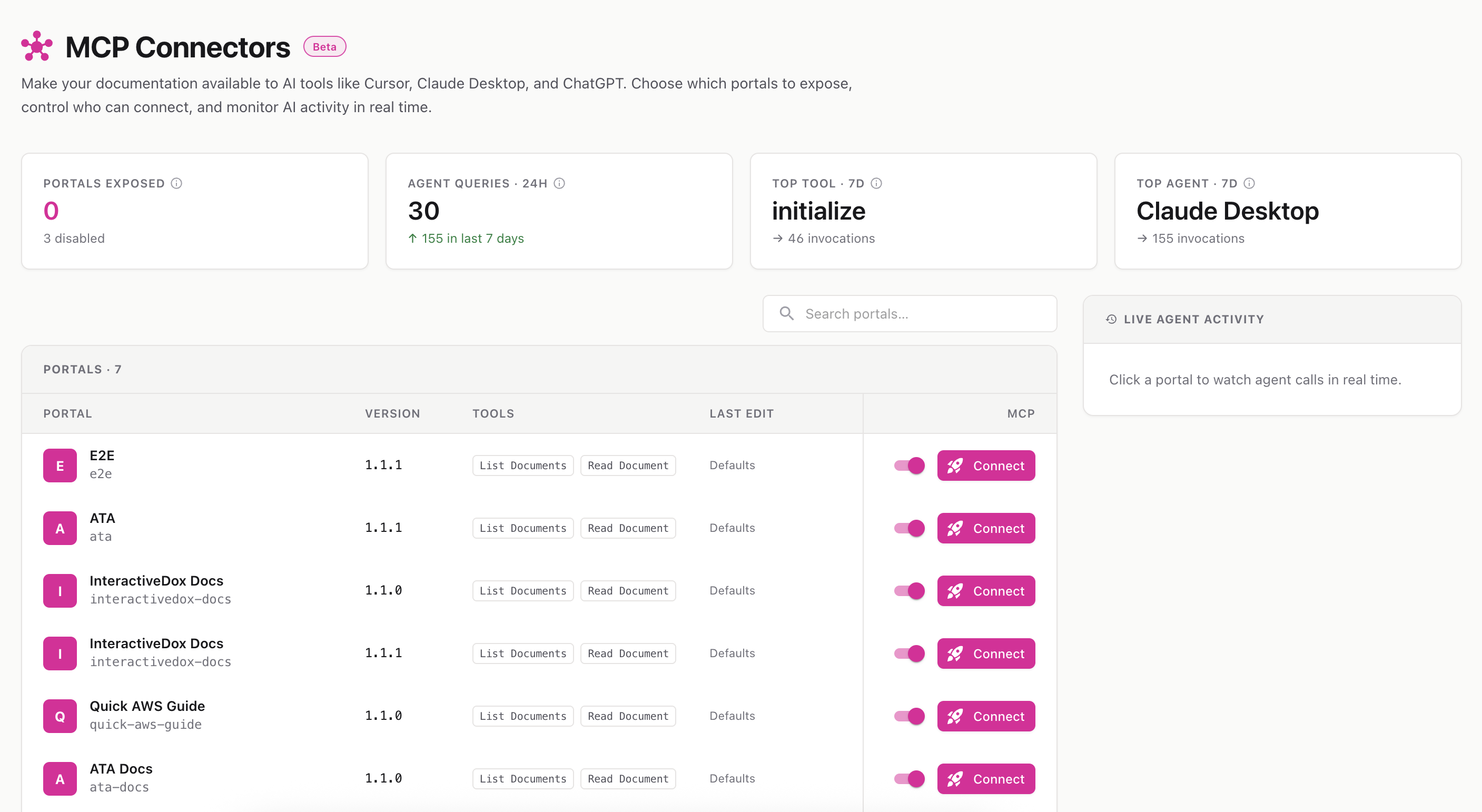
Let AI assistants — like Claude, Cursor, and ChatGPT — connect directly to your documentation and answer questions from it, with citations back to your pages.
Route: /documentation-portal/mcp
Menu: Library → MCP connectors
MCP stands for Model Context Protocol — an open standard that lets AI assistants plug into external knowledge sources. An MCP connector exposes one of your documentation portals to those assistants, so an agent can look up your pages and answer with accurate, cited information instead of guessing.
Connectors are configured entirely inside InteractiveDox — no build step and no manual key management. You enable a portal, copy a snippet, and paste it into your AI client.
The stats strip shows: how many portals are exposed, agent queries in the last 24 hours (with a 7-day trend), your top tool, and your top agent.
Each row represents a portal you can expose:
Flip the Enable toggle on a portal’s row. It takes effect immediately — agents can connect as soon as it’s on, and lose access the moment you turn it off.
~/.cursor/mcp.jsonA connector advertises a small, read-only set of tools:
ℹ️ Connectors are read-only — agents can browse and read your published docs, but never change them.
Click any portal row to open the live activity panel. It streams agent queries in real time — showing which assistant called, which tool it used, the parameters, status, and timestamp — so you can see exactly how AI clients are using your docs.
Behind each connector you can scope what’s exposed:
📚 Looking for the parent menu overview? See Library .