SettingsAPI keys
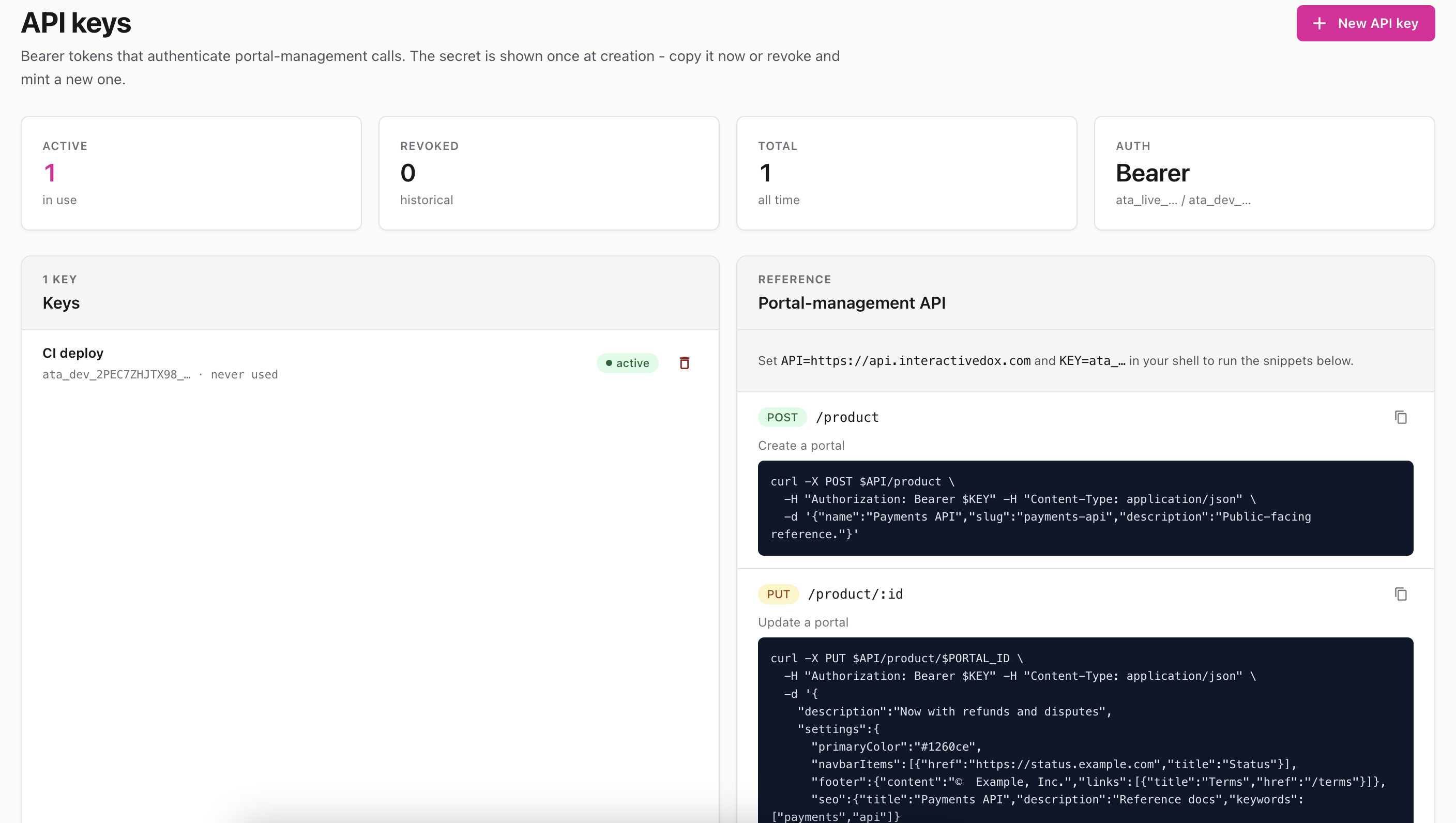
Create and manage secret keys that let external scripts and tools manage your portals through the InteractiveDox API.
Route: /settings/api-keys
API keys are Bearer tokens used to authenticate programmatic access to the portal-management API — for automating things like creating portals, publishing versions, adding pages, and importing markdown (for example, from a CI/CD pipeline).
The page has two parts:
curl examples for common endpoints.The stats strip shows how many keys are active, revoked, and the total ever created.
⚠️ Important: The secret is displayed only at creation time. If you lose it, you can’t view it again — revoke the key and create a new one.
Click the trash icon next to an active key and confirm. Revocation is immediate — any script still using that key will start failing right away. Revoked keys stay in the list for reference.
The right-hand panel lists common endpoints (create portal, add page, import markdown, and more) with color-coded methods (GET / POST / PUT). Click the copy icon on any example to copy the full curl command, then paste it into your terminal and swap in your key.
💡 Review the last-used timestamp on each key periodically to spot and clean up keys that are no longer in use.