PortalVersion Overview
The home base for a version — see its status at a glance, finish setup, and jump to any task.
Open a portal, then a version. The Overview (under Manage in the left nav) is the landing screen.
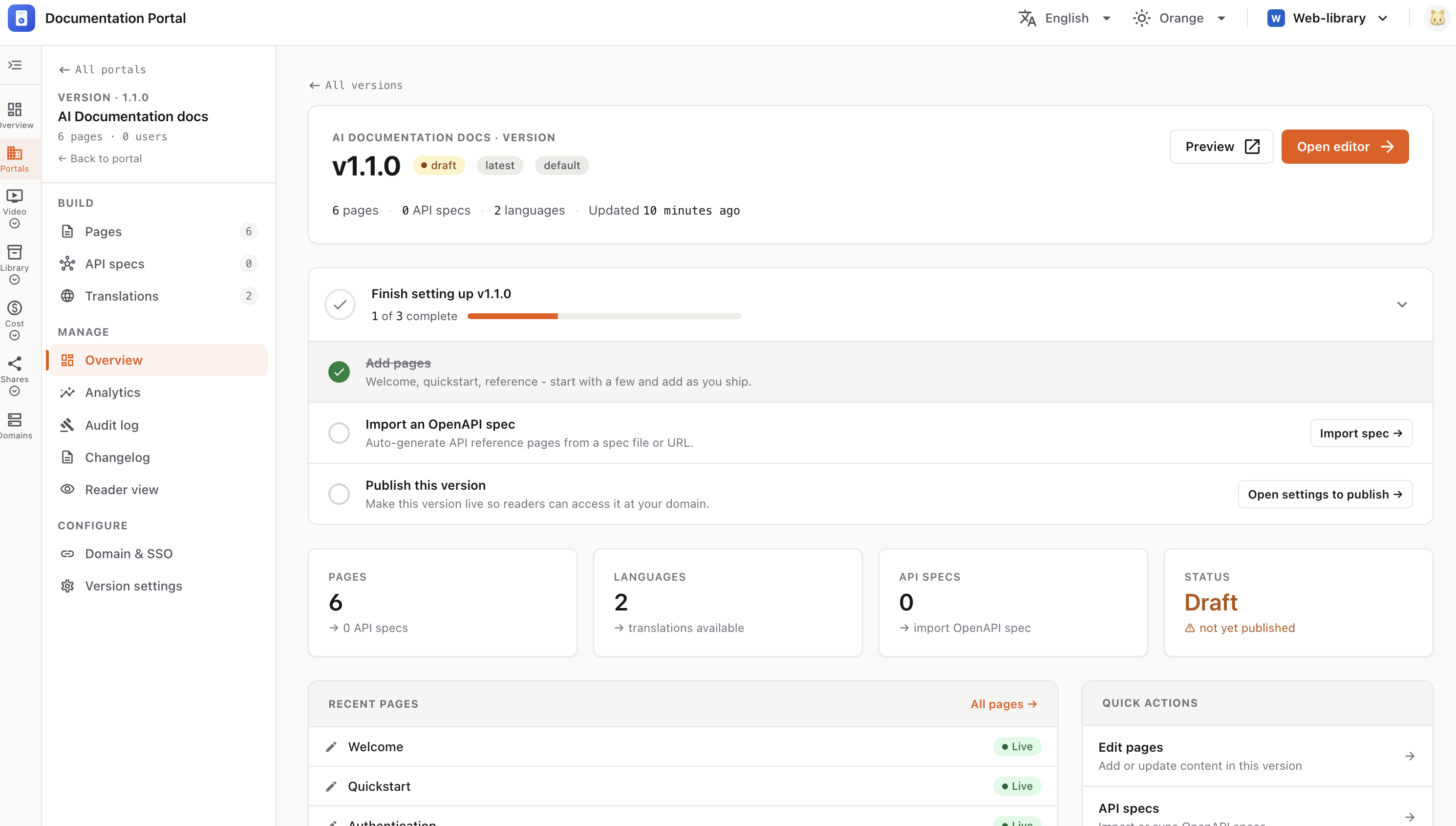
The left nav groups everything for the version:
Header card — the version number (e.g. v1.1.0) with badges:
Plus a stats line (pages · API specs · languages · last updated) and two buttons: Preview (opens the live site in a new tab) and Open editor (jumps to the Pages editor).
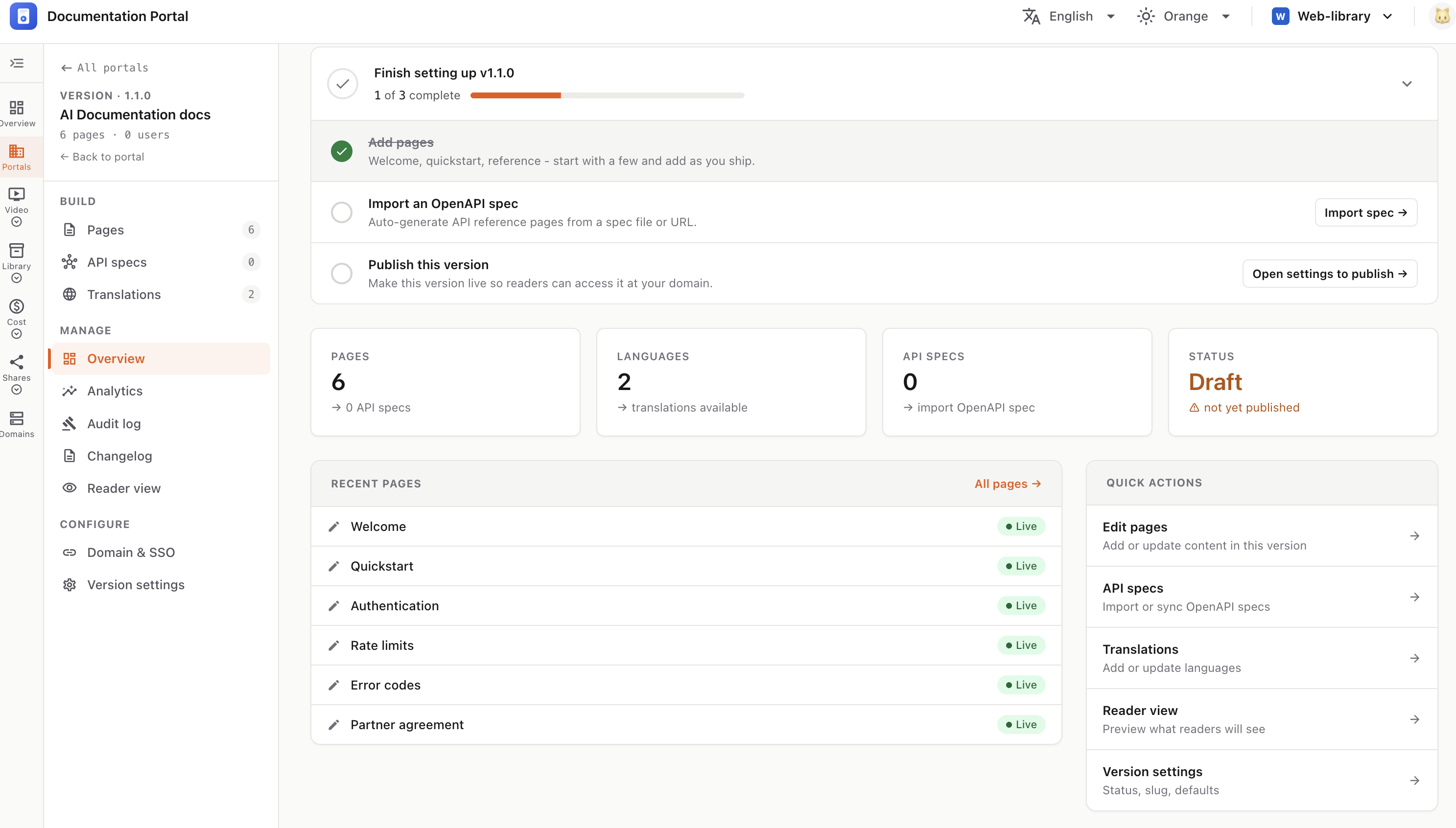
Finish setting up — a 3-step checklist that tracks your progress:
Stat cards — Pages, Languages, API specs, and Status (Draft / Live) at a glance.
Recent pages — your latest pages with a Live or Draft badge; click any to edit, or use All pages.
Quick actions — shortcuts to Edit pages, API specs, Translations, Reader view, and Version settings.