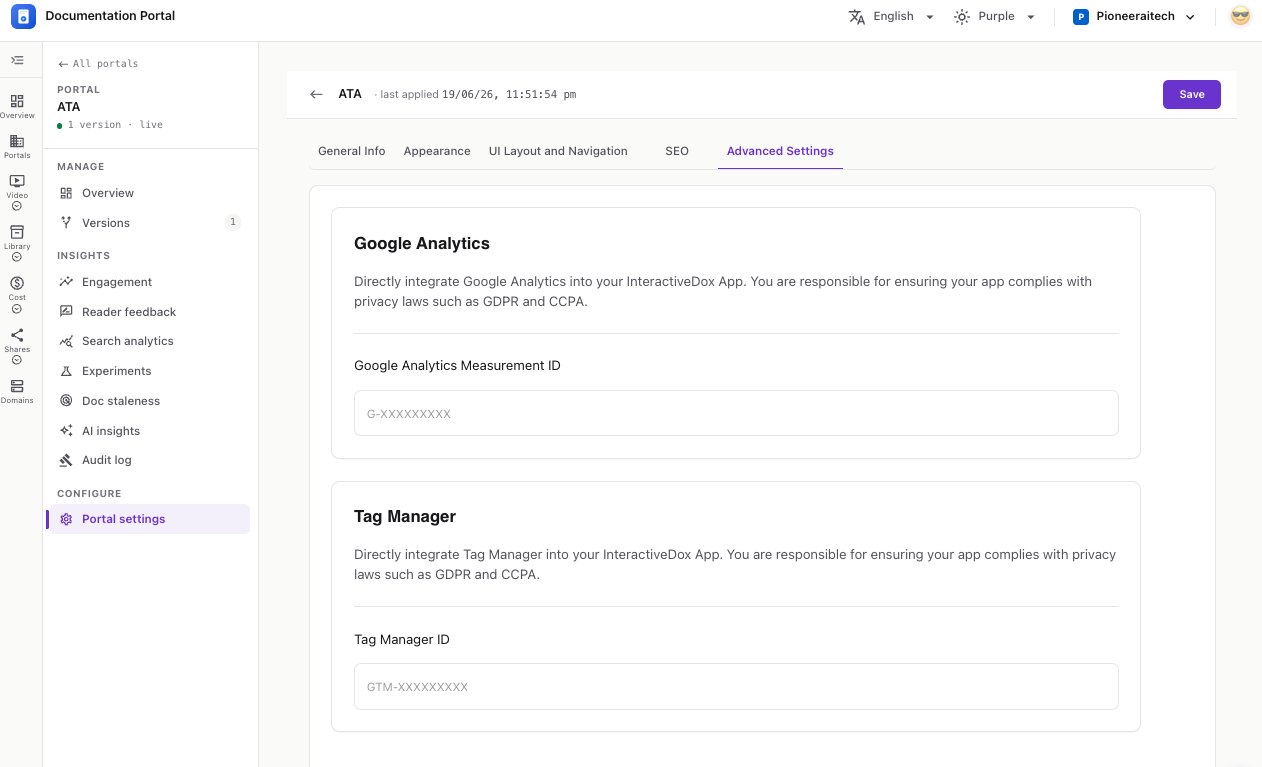
PortalVersion Analytics
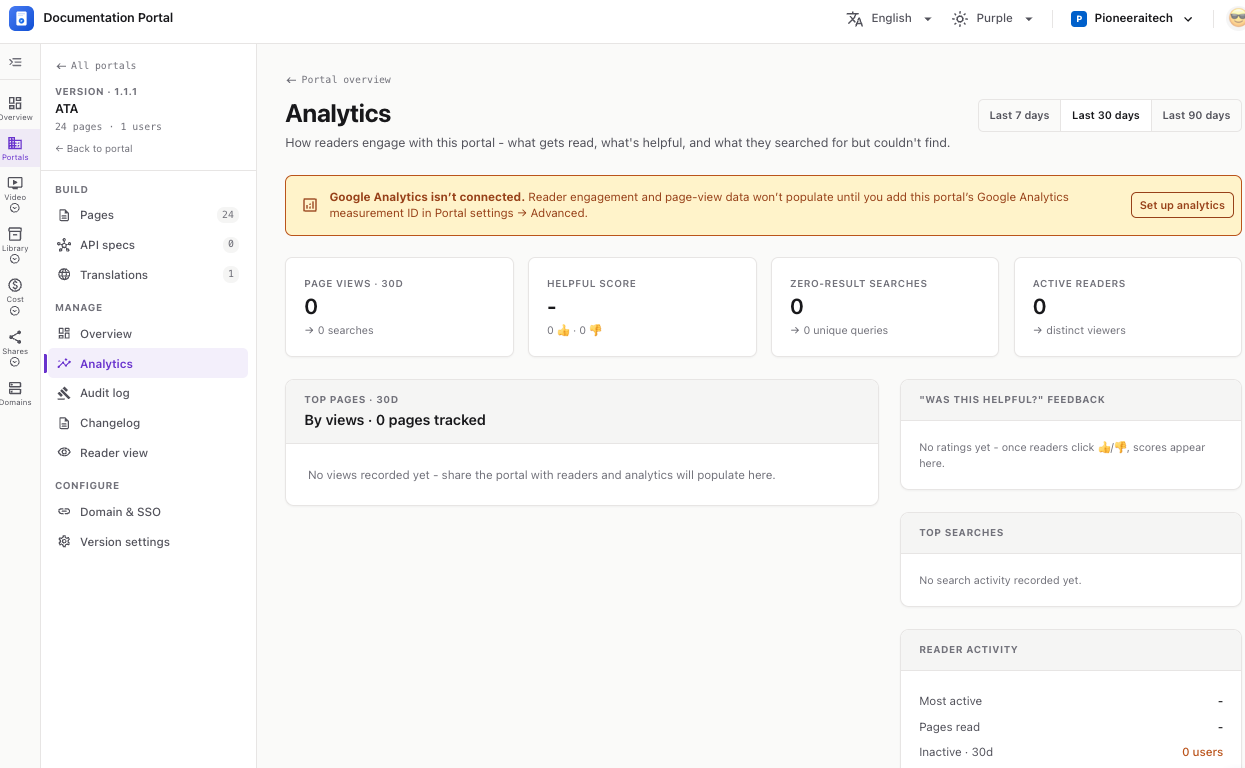
See how readers engage with your portal — what gets read, what’s helpful, and what they searched for but couldn’t find.
In the version sidebar, open MANAGE → Analytics. Use the toggle at the top-right to switch the range: Last 7 / 30 / 90 days.
⚠️ If Google Analytics isn’t connected, a banner appears. Page-view and engagement data stays empty until you add the portal’s GA Measurement ID under Portal settings → Advanced. Click Set up analytics to go there. → Portal Settings
KPI tiles across the top:
💡 Empty panels mean no data yet — share the portal with readers and these fill in as they browse, rate pages, and search.