SettingsMembers
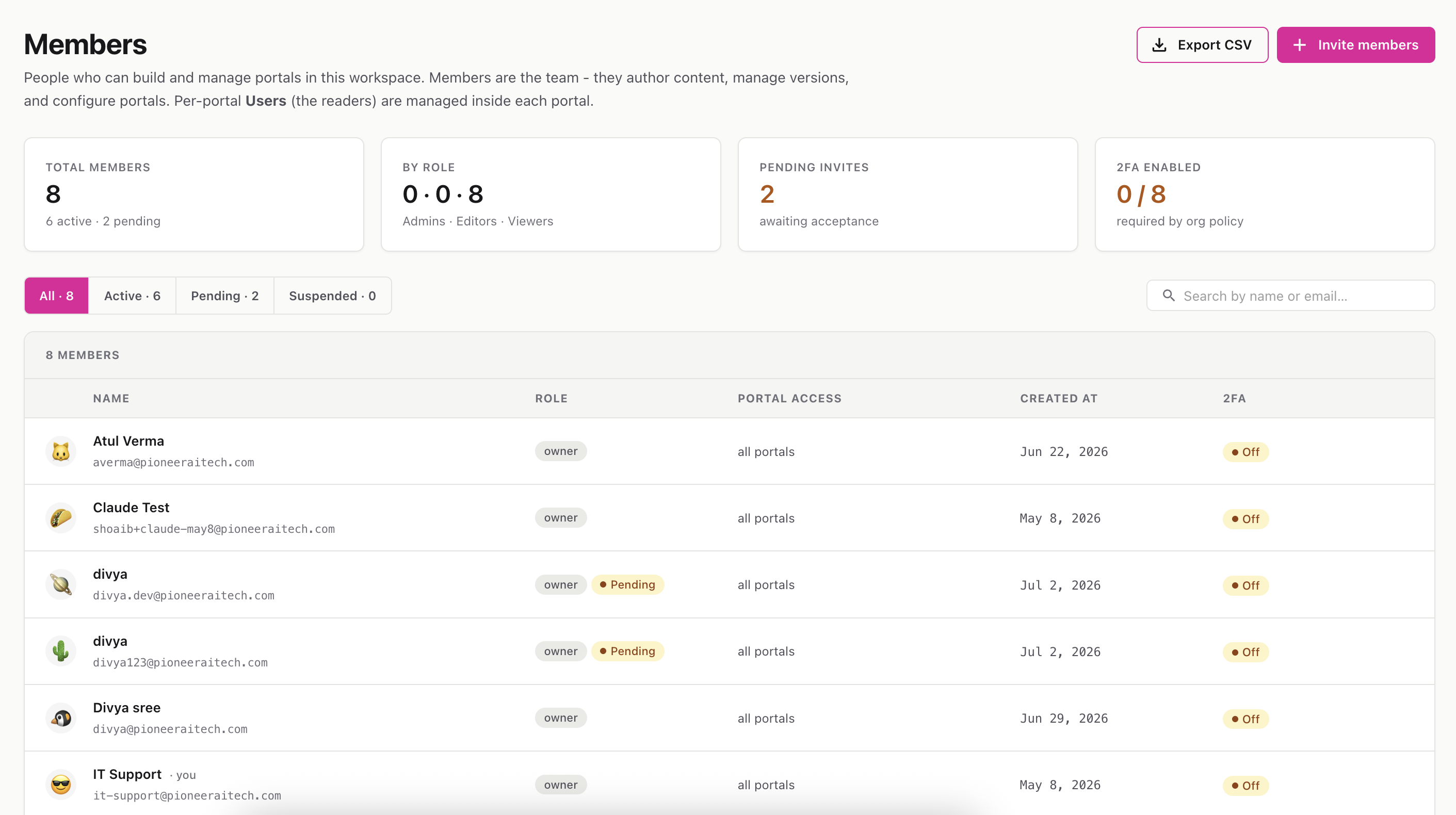
Manage the people who build and manage portals in this workspace — invite teammates, set their role, and control their access.
Route: /settings/members
Members are your team: they author content, manage versions, and configure portals. (This is different from a portal’s readers, who are managed inside each individual portal.)
At the top, a quick-stats strip shows your total members, the breakdown of Admins / Editors / Viewers, how many invites are still pending, and how many members have two-factor auth (2FA) enabled.
(Fine-grained control over what each role can do lives in Roles & permissions.)
A results panel shows the status of each email. Invited people appear with a Pending badge until they accept.
Click the three-dot menu (⋯) on any member row:
ℹ️ You can’t remove yourself (your row is marked ”· you”), and workspace owners can’t be changed or removed.