PortalVersion Translation
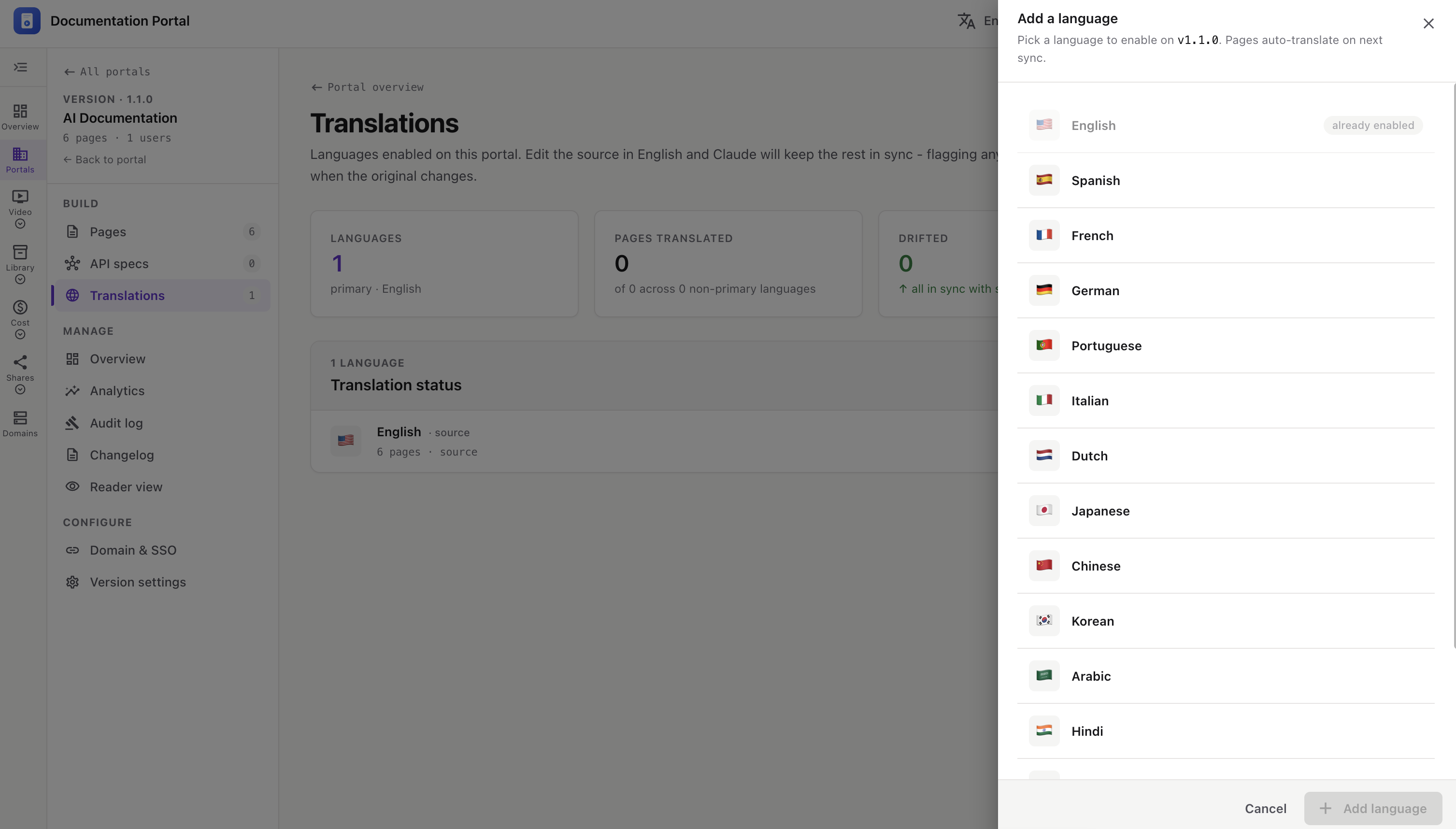
Enable extra languages on a version and let AI translate every page for you. You write the source in English, and translations are kept in sync — pages that drift when the English changes get flagged for re-sync.
In the version sidebar, open BUILD → Translations. The top strip shows Languages, Pages translated, Drifted, and the Source (English).
Below, Translation status lists each enabled language with its page count, a bar, and a status pill ( / / ).
primaryin syncX% synced
Click Add a language, pick one from the list, and click Add.
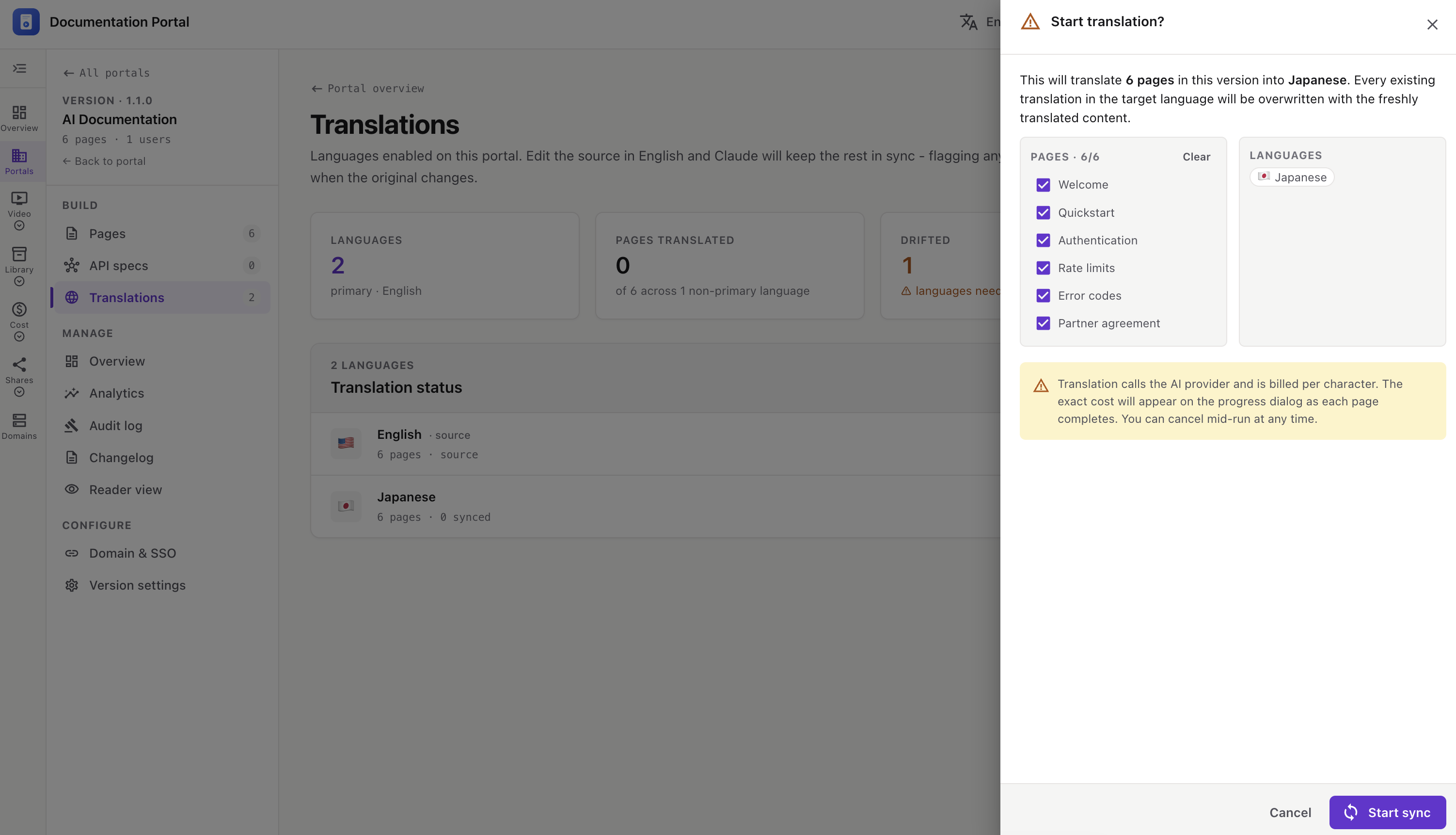
Start a translation two ways:
A Start translation? panel opens. Confirm what runs:
⚠️ Translation uses the AI provider and is billed per character. Existing translations in the target language are overwritten. A progress dialog shows per-page status and running cost — you can cancel mid-run.
When you edit the English source, affected translations are marked as drifted on the Translations page. Re-run Sync (per language) or Sync all to bring them back in sync.