SettingsGlossary
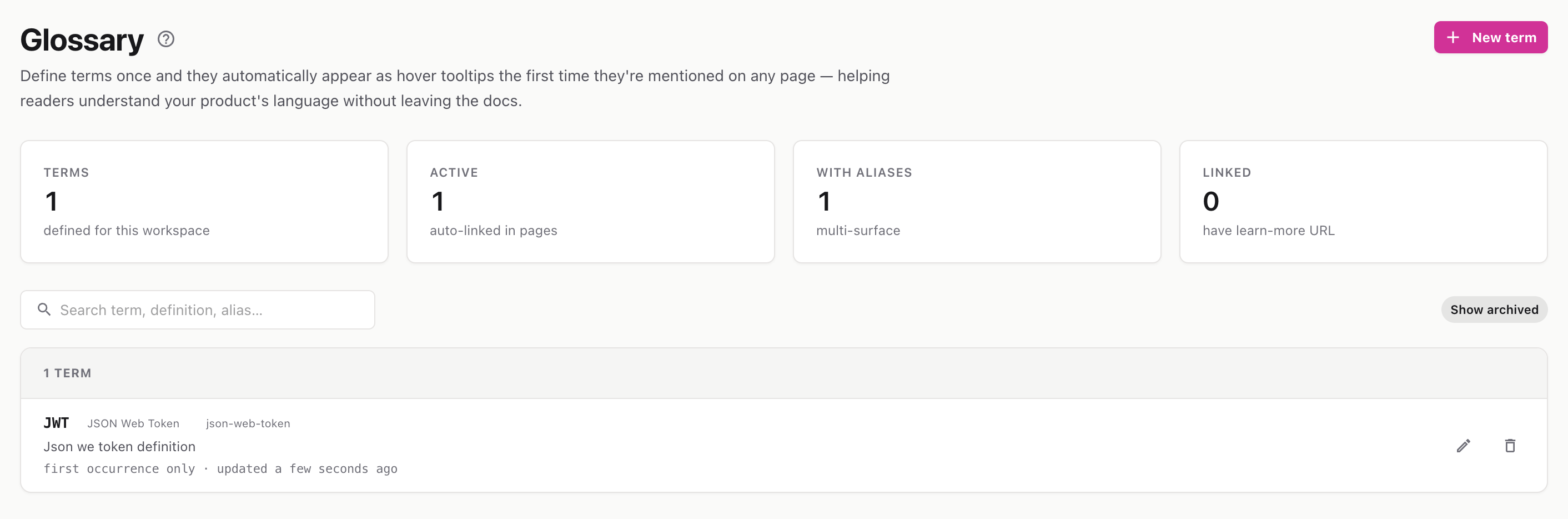
Define your product’s terminology once, and it auto-links as hover tooltips across your published docs — no manual tagging required.
Route: /settings/glossary
The Glossary lets you define terms at the workspace level. Add a term once, and InteractiveDox automatically turns its occurrences on published pages into hover tooltips showing the definition. Readers get instant explanations without leaving the page, and authors never have to tag terms by hand.
The stats strip shows how many terms are defined, how many are active (auto-linking), how many have aliases, and how many have a “learn-more” link.
Use the search box to filter by term name, definition, or alias.
💡 Aliases are useful for acronyms and variations — e.g., a term “Application Programming Interface” with alias “API” links both.