SettingsLLM keys
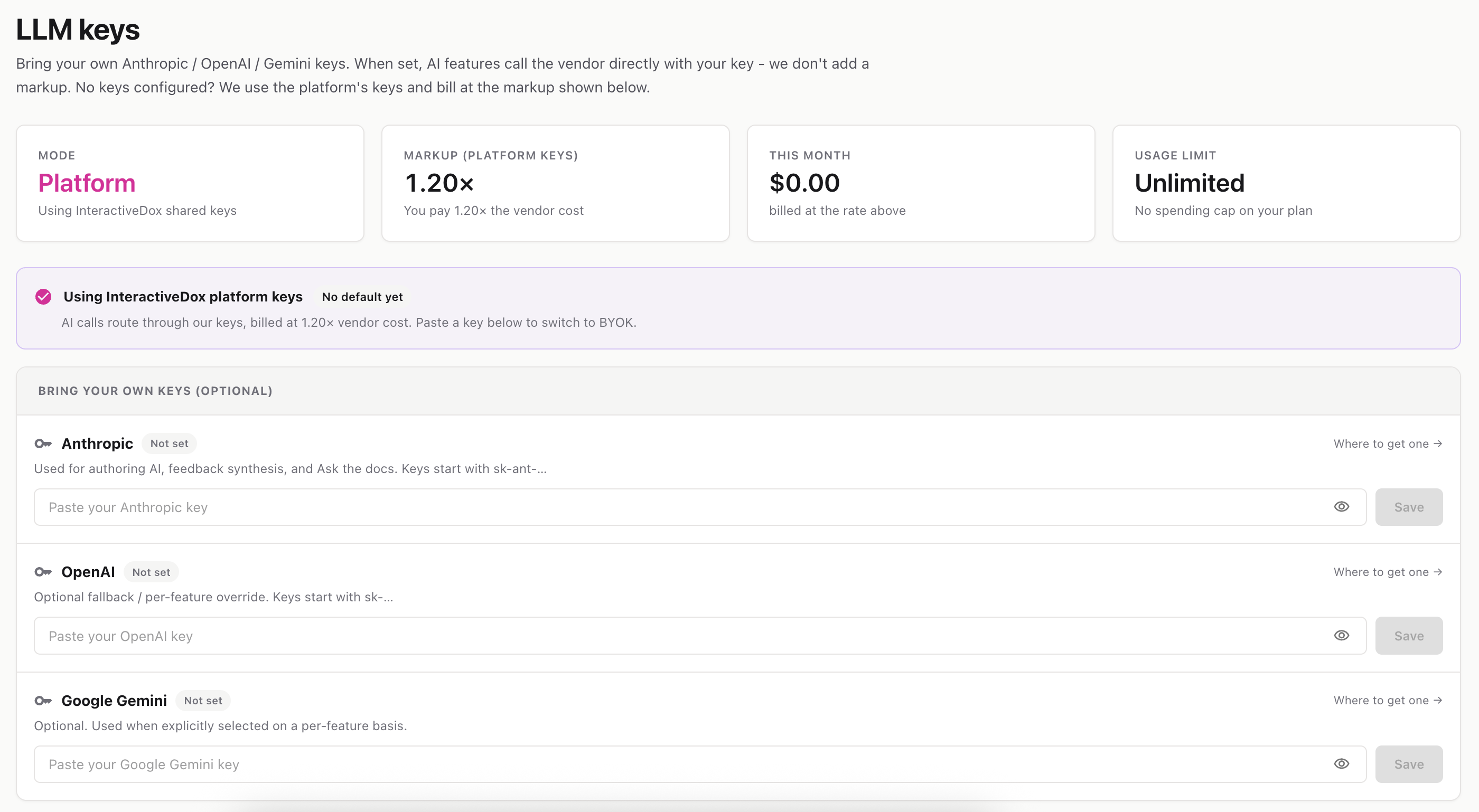
Bring your own AI provider keys. When set, AI features call the vendor directly with your key and you pay no markup. When not set, InteractiveDox’s shared keys are used and billed at a small markup.
Route: /settings/llm-keys
Every AI feature in InteractiveDox — authoring, Ask the docs, feedback synthesis, capture guides — runs on a large language model (LLM). This page controls whose keys power those calls.
There are two modes:
| Mode | What it means |
|---|---|
| Platform | No keys configured. AI runs on InteractiveDox’s shared keys, billed at a markup (e.g. 1.50× the vendor’s cost). |
| BYOK (Bring Your Own Keys) | You’ve added at least one provider key. AI calls hit that provider directly with your key, and InteractiveDox adds no markup. |
The stats strip shows your current Mode, the markup multiplier, your spend this month, and your remaining free credit or usage limit.
sk-ant-…sk-…Each row has a “Where to get one →” link to the provider’s key console.
sk-ant-…1234) is shown.To replace a key, just paste a new one and save. To remove one, click the trash icon next to the masked hint and confirm — future calls for that provider fall back to platform keys.
In the Default model card, pick a Provider and then a Model to control which model AI features route to. Your selection saves automatically, and the active-routing banner shows the current Provider · Model.
💡 Cost tip: In BYOK mode you’re billed nothing by InteractiveDox for AI usage — you pay your provider directly. In Platform mode, each call’s vendor cost is multiplied by the markup and billed to your workspace.