PortalLink APIs to This Page
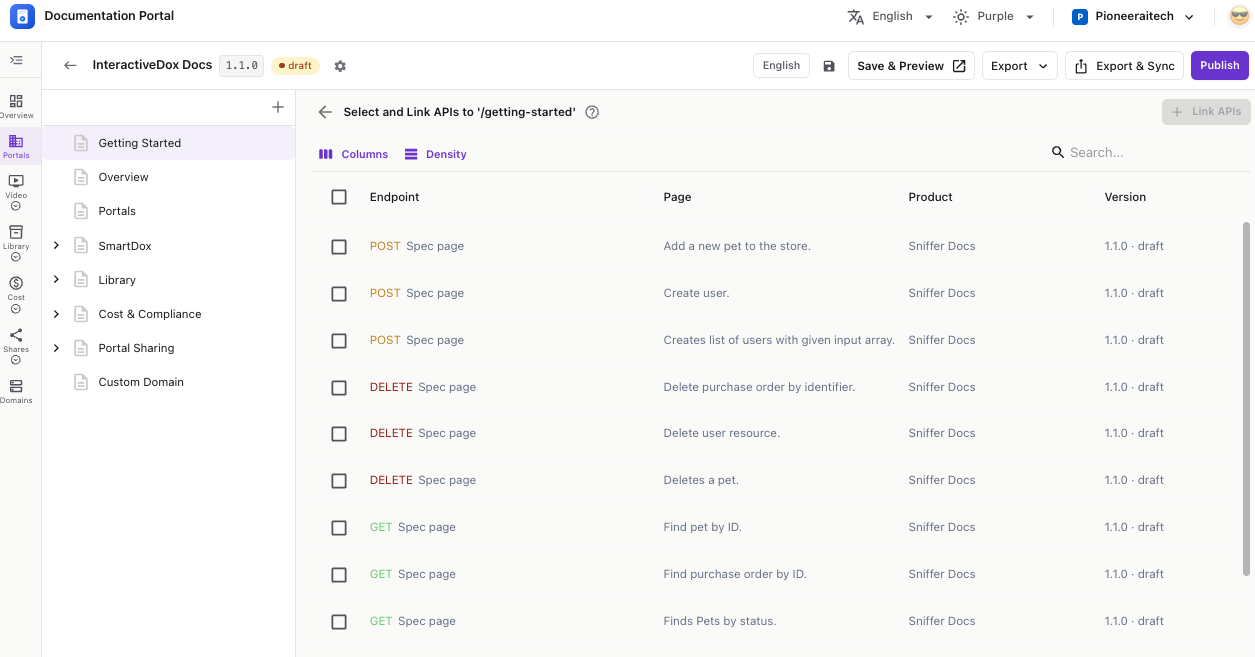
Attach existing API spec pages to a doc page — each one is added as a subpage that renders as an interactive API reference.
The Select and Link APIs to ‘/page’ screen opens with a table of API pages from your workspace.
💡 The list is your workspace’s catalog of API pages — created by importing an OpenAPI / Swagger spec. Don’t see yours? Import the spec first, then come back.
GET, POST, PUT, DELETE…), Page, Product, and Version (e.g. 1.1.0 · draft).You’ll see a confirmation like “Added 2 API pages as subpages.” The APIs now appear as child pages under your doc page, each rendering as an interactive API reference.
💡 Link APIs stays disabled until you select at least one row.
There’s no separate “unlink” — a linked API is a real subpage. To remove it, open that subpage’s ⋮ menu and choose Delete, or use Move under… / Move to top level to re-organize it.