SettingsAI insights
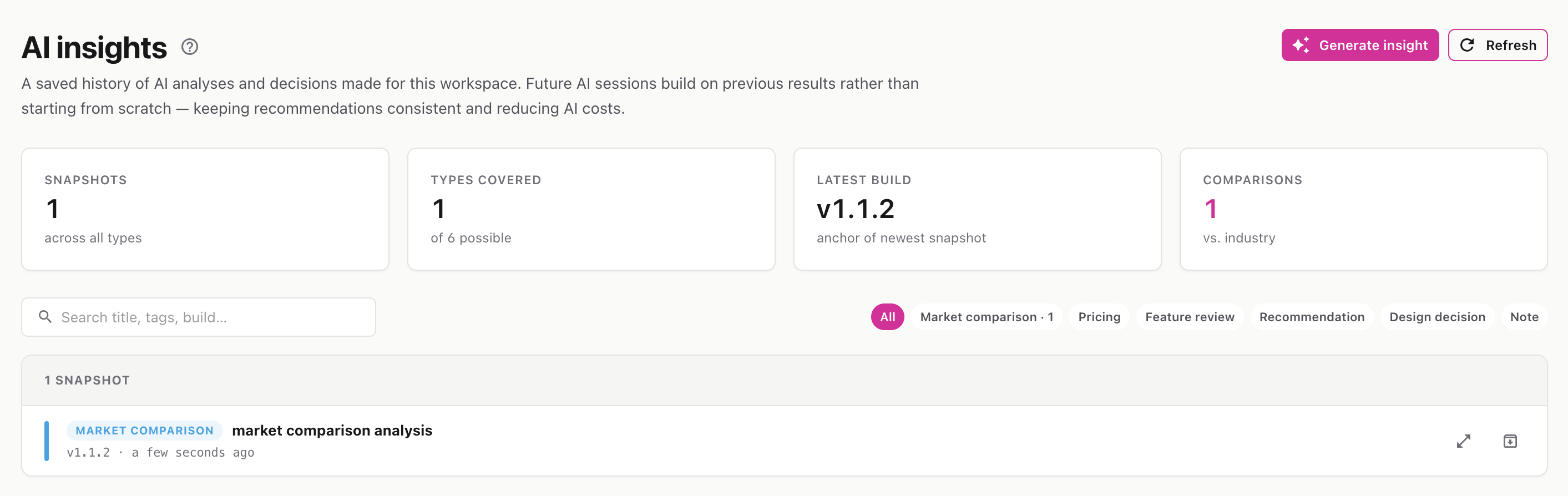
A searchable history of AI analyses and recommendations for your workspace — so past decisions stay consistent and future AI sessions build on them.
Route: /settings/ai-insights
The AI Insights page stores snapshots — saved AI analyses tied to a specific build version. Instead of every AI session starting from scratch, it can reference these snapshots, which keeps recommendations consistent and reduces repeated AI cost.
The stats strip shows the total number of snapshots, the types covered, the latest build they’re anchored to, and how many market comparisons exist.
Snapshots are color-coded by type:
Market comparison · Pricing · Feature review · Recommendation · Design decision · Note
Click the Archive icon on a row and confirm to hide a snapshot from the default list. If a newer analysis replaces an older one, the older is marked Superseded.
ℹ️ When there are no snapshots yet, you’ll see a “No snapshots yet” message — start by asking the AI to run an analysis.