Portal SharingShared by me
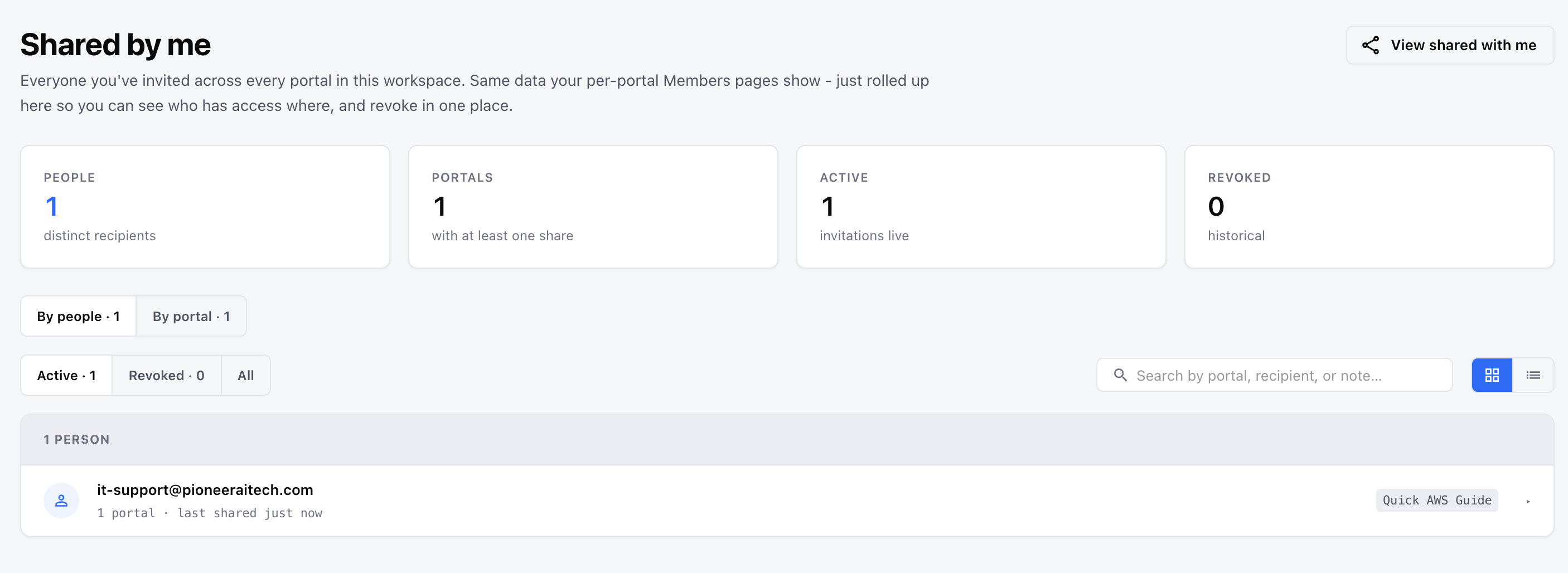
A single, workspace-wide view of every portal you’ve shared out — who has access to what, and the controls to revoke it. Plus how to share a portal in the first place.
Route: /documentation-portal/shared/by-me
Menu: Portal sharing → Shared by me
The Shared by me page rolls up all your sharing activity in one place. Instead of hopping between each portal’s Members tab, you see every person you’ve invited and every portal you’ve shared, across the whole workspace.
The stats strip shows: how many you’ve shared with, how many have at least one share, how many shares are , and how many have been .
You start a share from the portal itself:
ℹ️ What recipients get: If the email belongs to someone new, they receive a magic-link invite to join and view the portal. Existing users get a notification. Either way, the portal appears in their Shared with me list. Shared users get Viewer (read-only) access and cannot re-share the portal.
Each share shows the portal, recipient, access level, share date, status (active / revoked), any note, and the expiry date if one was set.
Open the three-dot menu (⋯) on any share:
ℹ️ Revoking is immediate and permanent — the recipient loses access right away. The row isn’t deleted; it moves to the Revoked tab so you keep a history of who had access.
If you haven’t shared anything yet, you’ll see “You haven’t invited anyone yet” with a prompt to open a portal and click Share. See Portal Sharing for how it all fits together.