PortalPreview Version
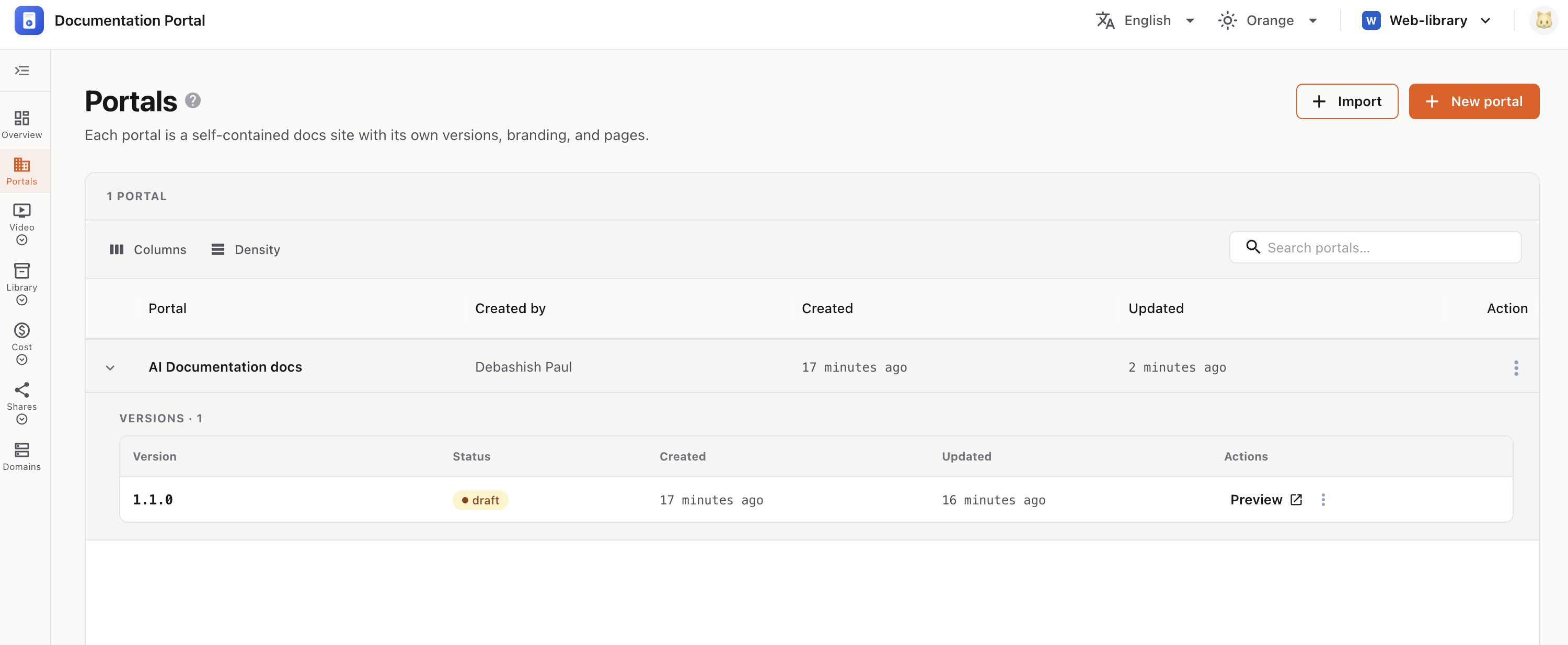
See a version exactly as your readers will — the live documentation site with navigation, search, and page tools.
Preview renders the version as a real, published docs site — not the editor. It’s the fastest way to check your work before anyone else sees it, and it works even while the version is still a draft and offline to the public.
| Why it helps |
|---|
| See the reader’s view | Editing shows raw content; preview shows the finished page — layout, navigation, styling, and branding all applied. |
| Catch problems early | Spot broken links, empty sections, wrong ordering, or formatting issues before you publish. |
| Test navigation & search | Click through the sidebar and try search the way a real user would, so you know people can actually find things. |
| Safe to review | Drafts stay private — preview lets your team review a version without making it live to readers. |
| Share for feedback | Send the preview URL to teammates or reviewers to gather input before release. |
| Compare versions | Preview any version to confirm the right content lives under the right version before it goes out. |
The version opens in a new tab at its live URL.