Portal SharingShared with me
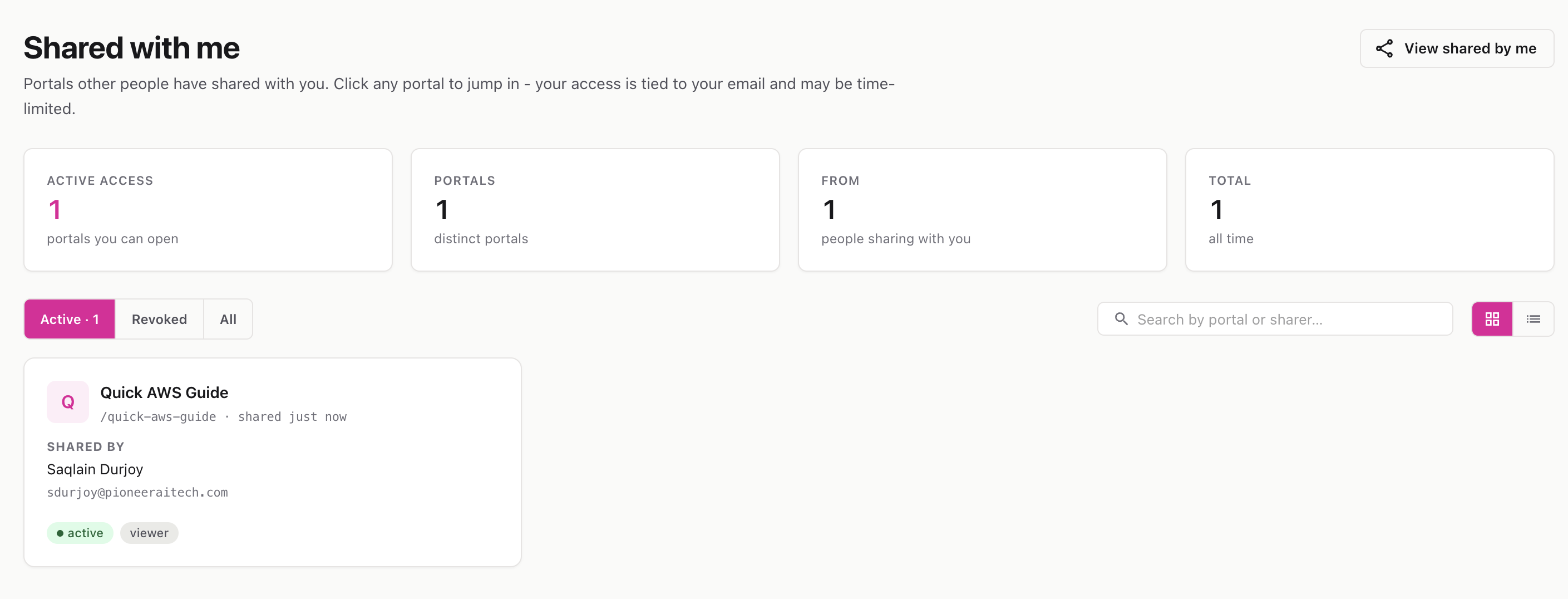
Every portal that other people or workspaces have shared with you, in one place. Open them, see your access level, and know when access expires.
Route: /documentation-portal/shared/with-me
Menu: Portal sharing → Shared with me
The Shared with me page lists all the documentation portals that someone else has shared with you. You’re matched to a share by your email address (and, where applicable, your team or organization), so shared portals show up here even when they live in a workspace than your own.
The stats strip at the top summarizes: how many shares are active (openable right now), how many distinct portals you have access to, how many people are sharing with you, and your total shares over time.
ℹ️ Revoked shares stay visible for history but can’t be opened. Expired shares show an “expires” date and stop working after that date.
💡 You cannot re-share a portal that was shared with you — only the portal’s owner can grant access to others. See Portal Sharing for the full picture.