PortalAdd New Subpage
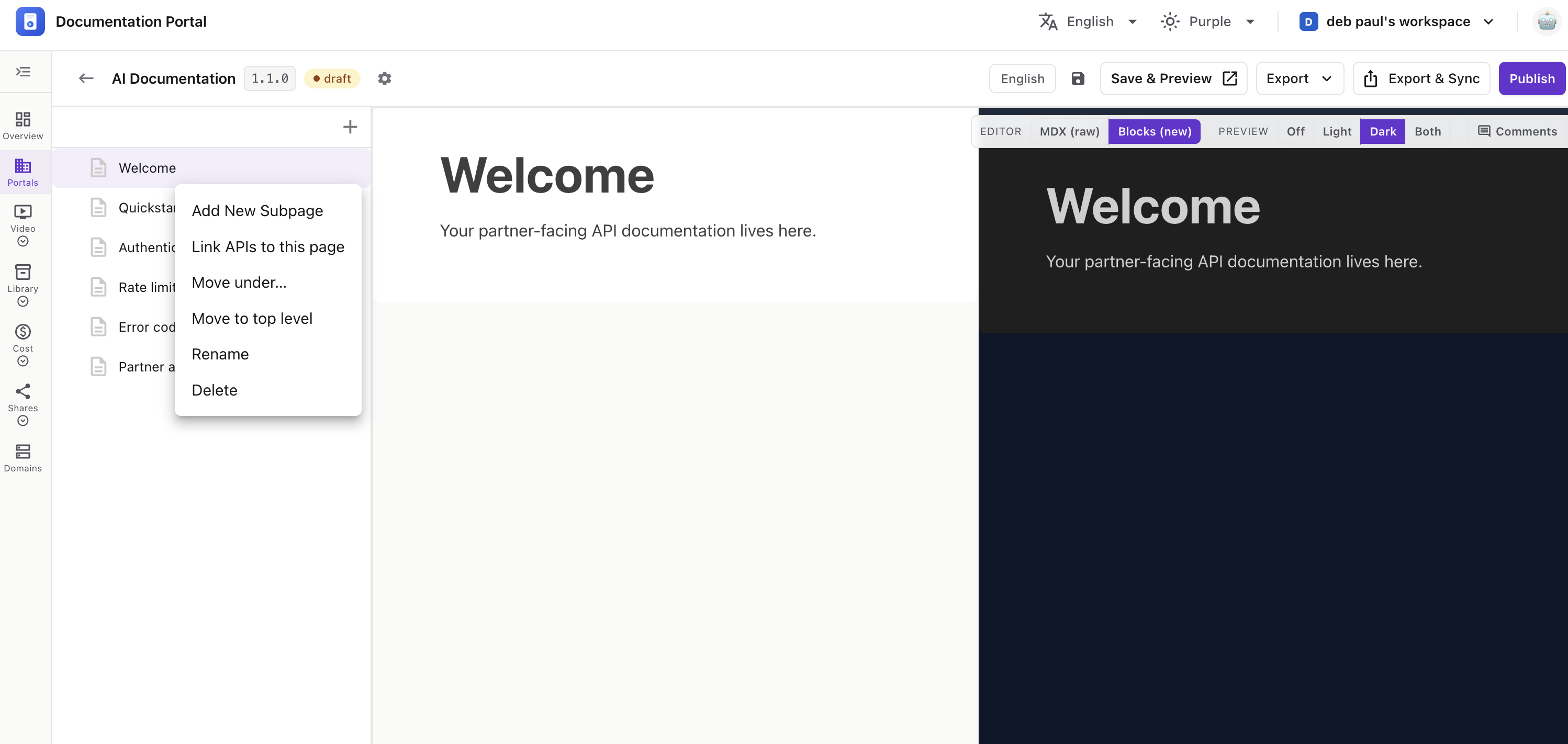
Add a page nested underneath an existing page in your version’s page list.
The Add a new sub page panel opens on the right.
Click Add Page to create it, or Cancel to close.
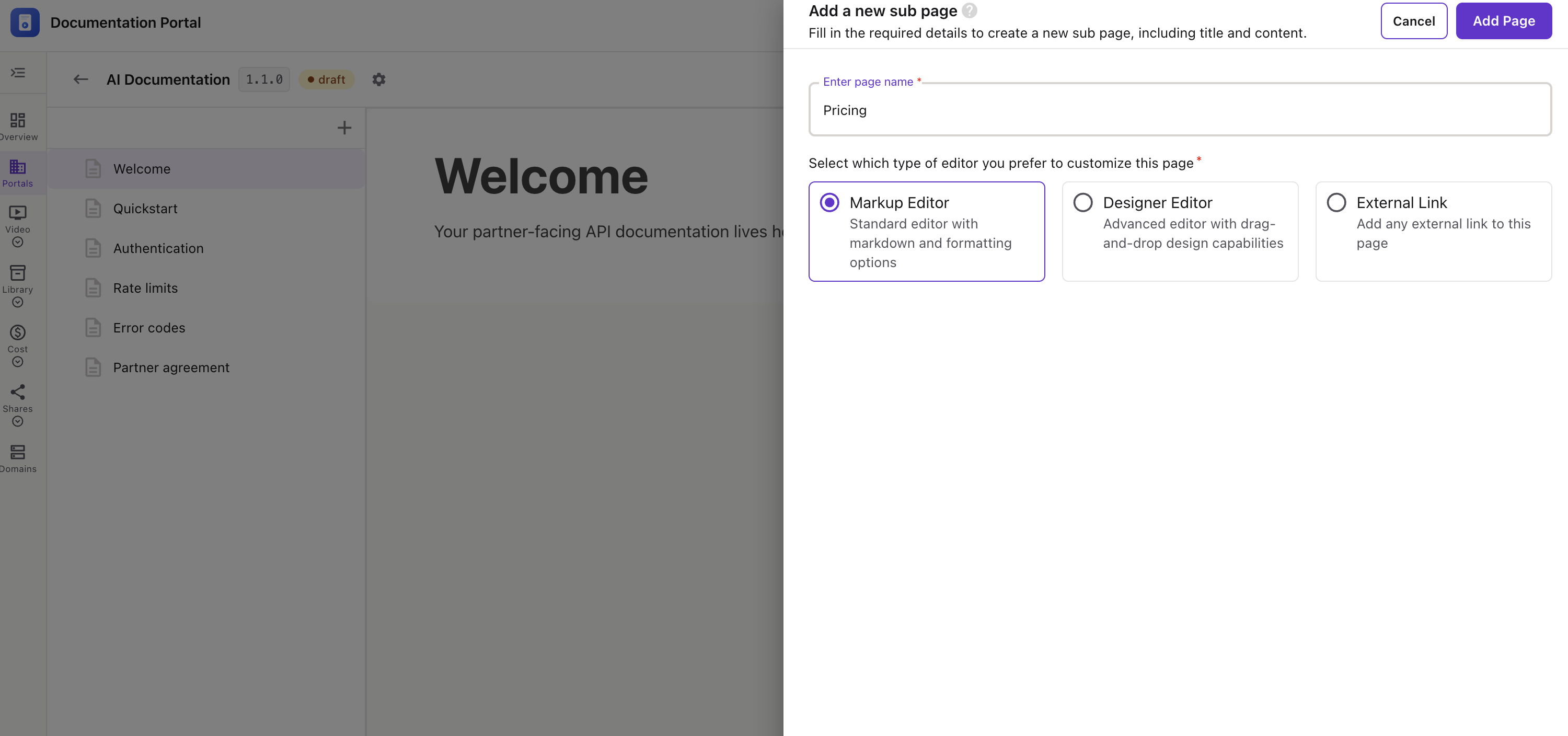
💡 The Add Page button stays disabled until you enter a page name. To add a top-level page instead, click the ➕ at the top of the page list.