PortalExport Portal
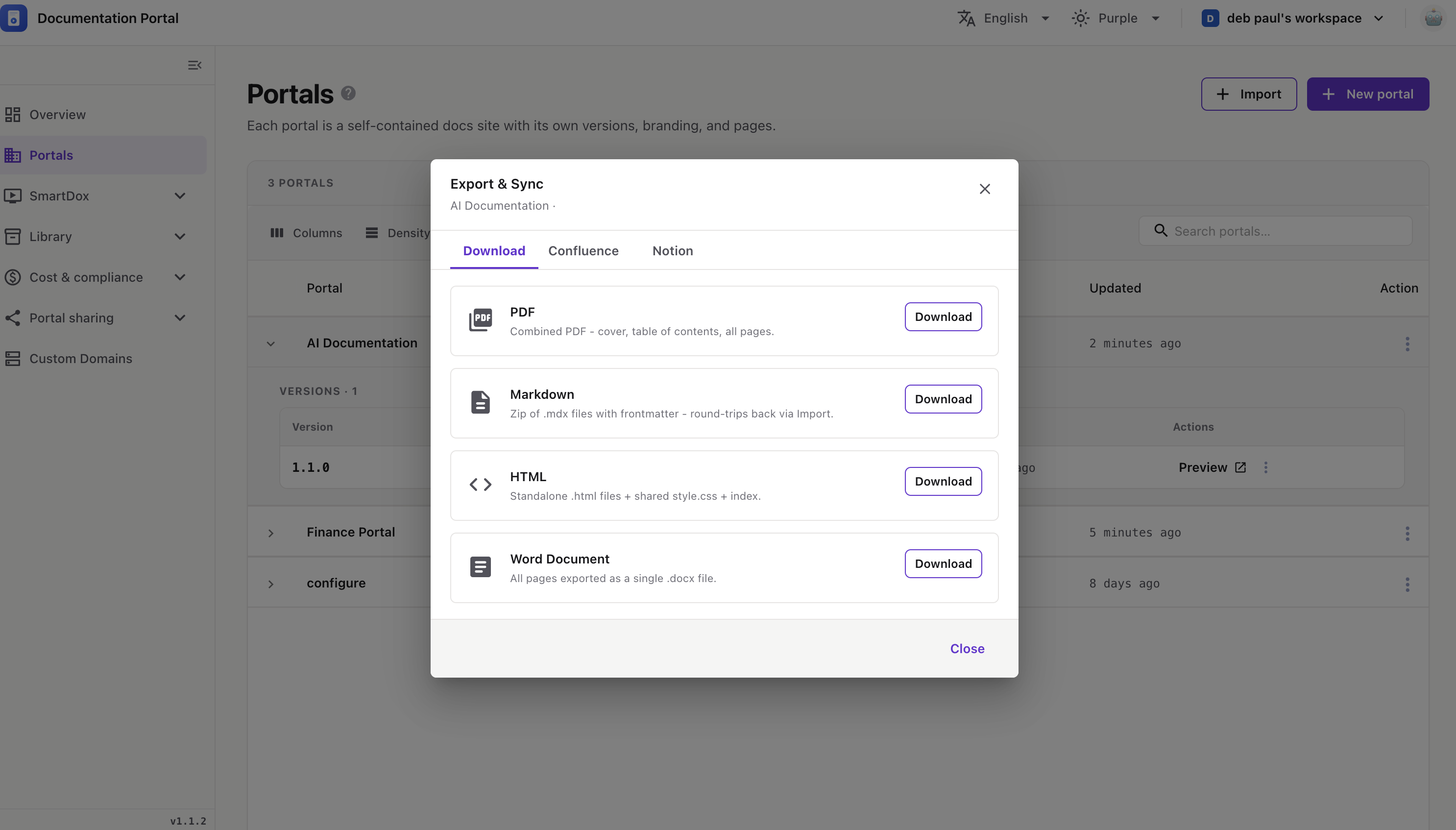
Export any portal version as a file, or sync it to Confluence or Notion. Everything happens in one Export & Sync window with three tabs.
The Export & Sync window opens on the Download tab.
Pick a format and click Download. A progress bar shows while it builds, then a Download button appears.
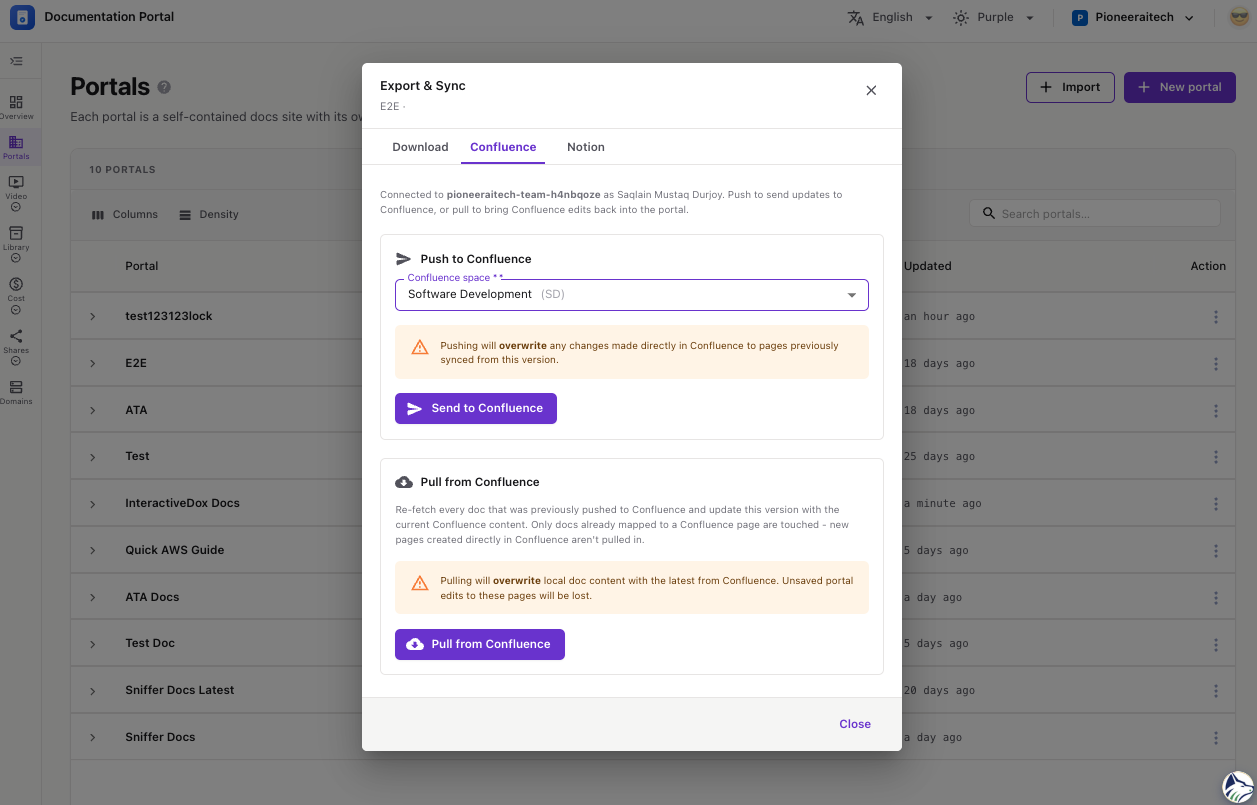
Sync this version with a Confluence space. If it isn’t connected yet, click Connect Confluence and authorize once.
⚠️ Push and pull both overwrite — pushing replaces synced Confluence pages; pulling replaces local page content.
Sync this version to Notion. If it isn’t connected, click Connect Notion and authorize once.
💡 A page only appears in the picker if it’s shared with the InteractiveDox integration in Notion.
⚠️ Like Confluence, push and pull both overwrite existing content.
Click Close when you’re done.